Begin with the assistant
Describe what you want to do, make a plan or invite a team into the conversation.
Choose your lead assistant. Bring different models into one team. Keep conversations and projects together across your own computers, and check in from your phone.
Early alpha · English interface · Windows & Linux · Your own model accounts or API keys
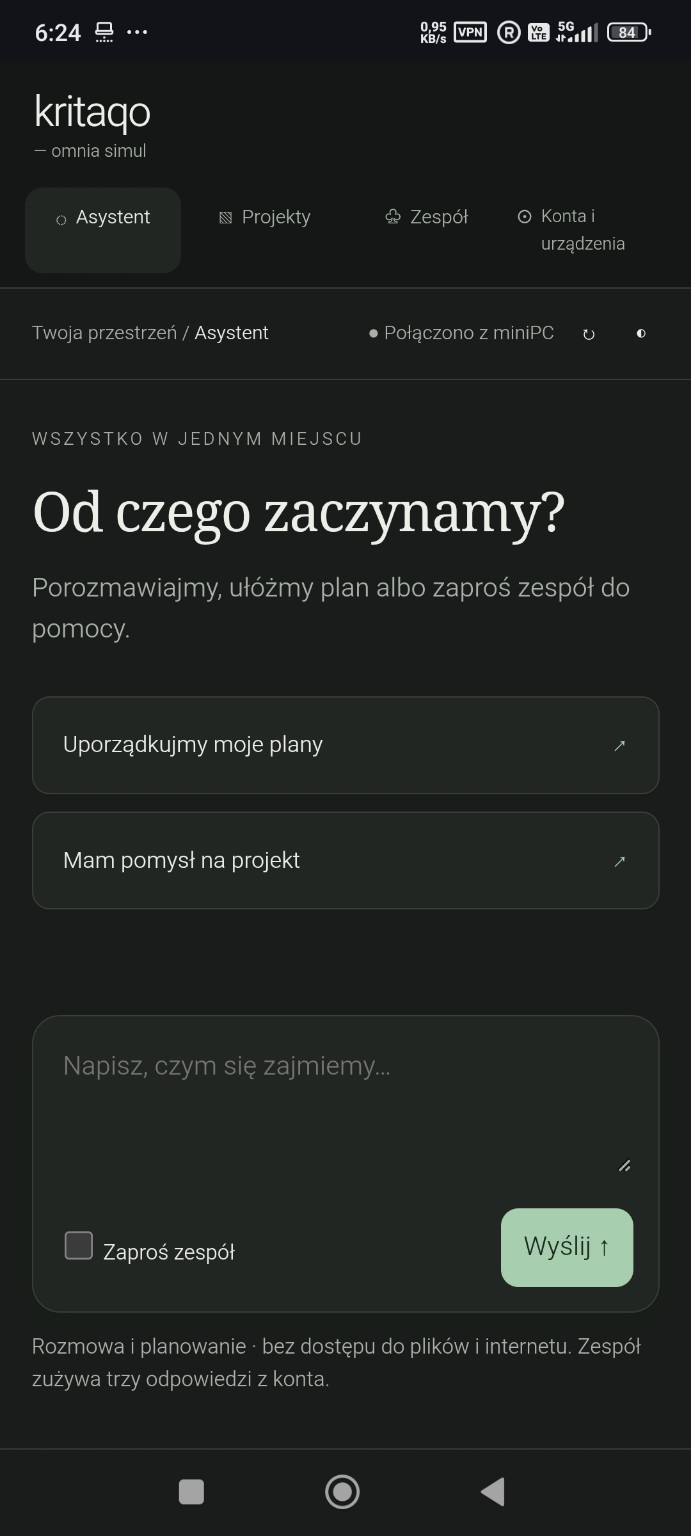
A single space for the conversation, the project and the agents helping with it. Your phone connects to the computer running Kritaqo, so you can follow tasks remotely.
Describe what you want to do, make a plan or invite a team into the conversation.
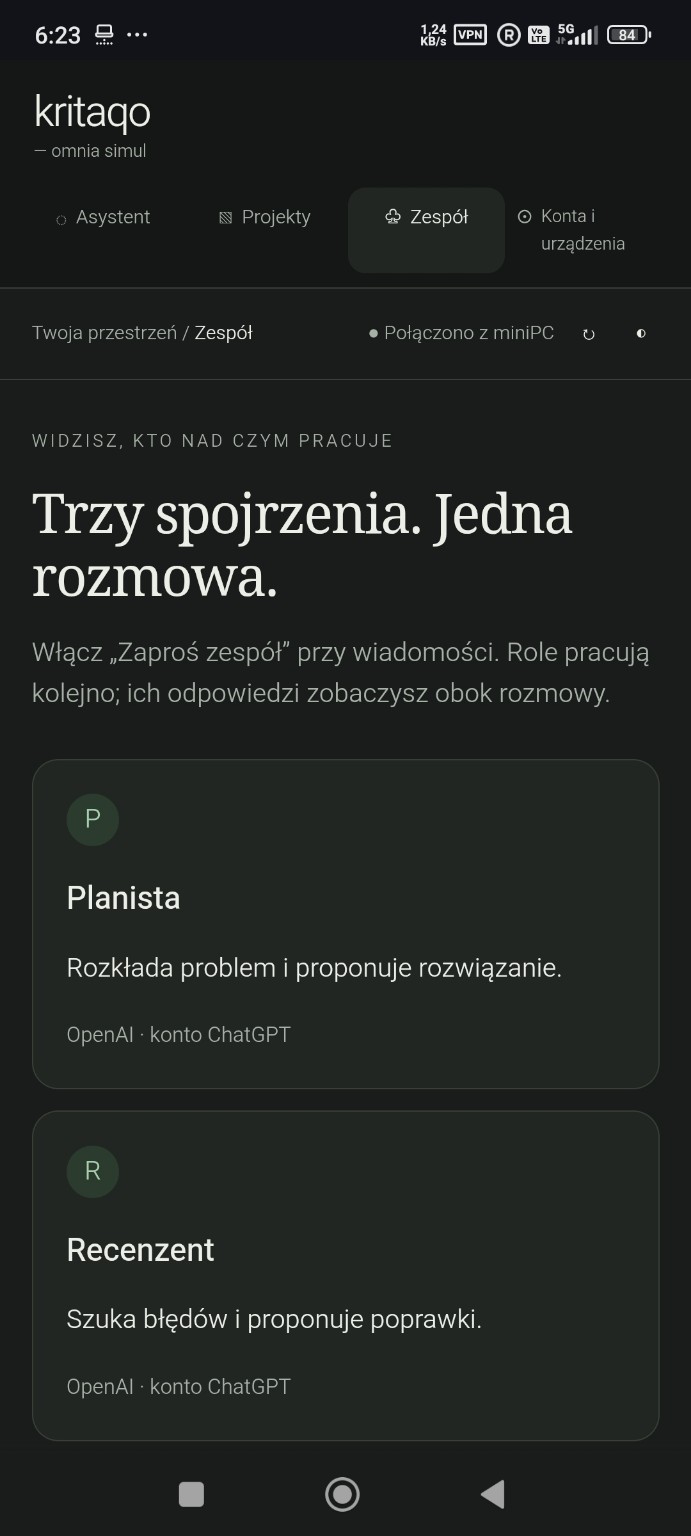
Specialist roles tackle the task in sequence, with their work visible alongside the conversation.
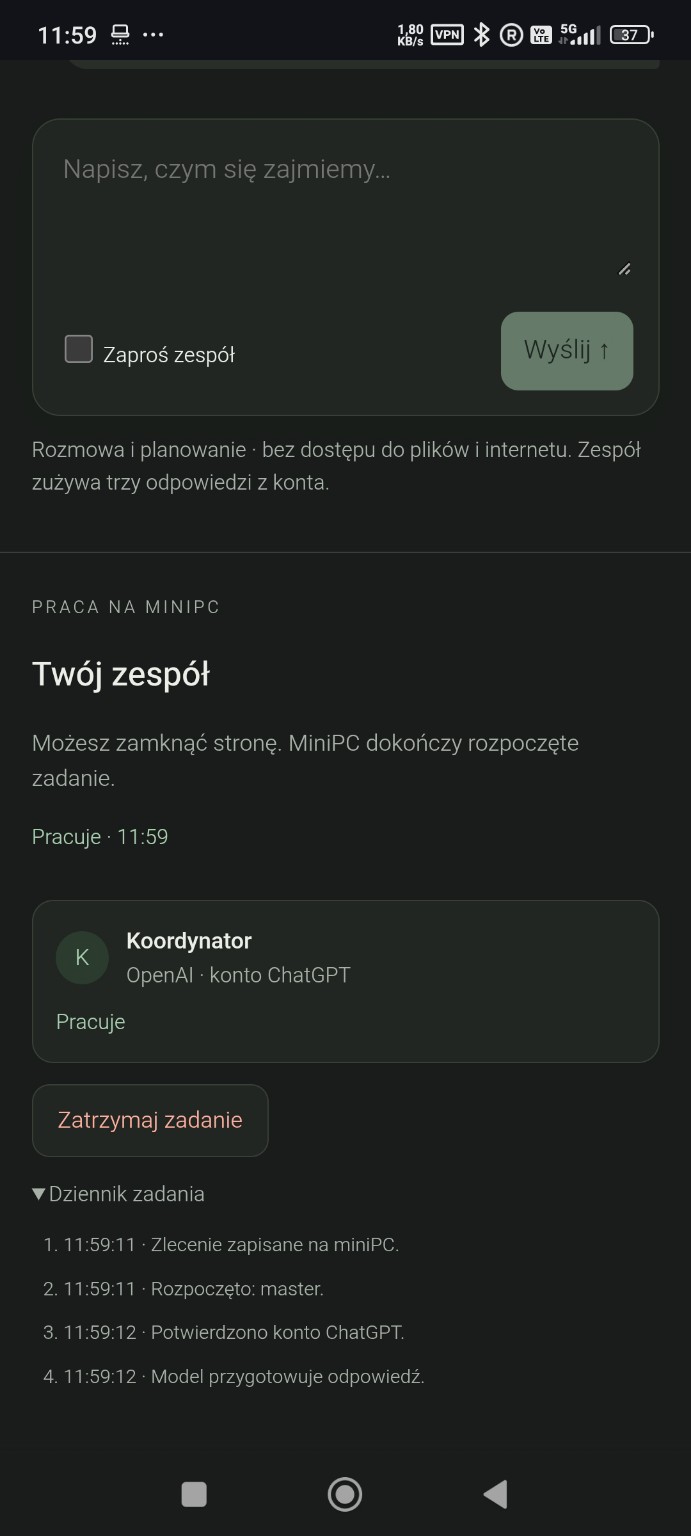
See task progress from your phone while the computer running Kritaqo carries on with the work.
Choose models for the coordinator, planner and reviewer. Each role contributes in sequence, with its work visible before the coordinator brings the results into one final answer. A three-model workflow has been tested in the early alpha.
Tasks continue on the computer running Kritaqo after you close the page. Come back to see the result, follow the task log, or stop work in progress.
For tasks to continue in the background, that computer must stay switched on, awake and connected.
Screens from an earlier working prototype. Select a screen to see it in full. These screenshots show Polish; the current app and installer use English by default.
Start a conversation, shape a plan and invite your team.
See the planner and reviewer, each with a clear role.
Follow the coordinator’s work and read the task log.
Kritaqo started with a practical need: one familiar place to work with AI across a mini PC, a laptop and a phone. The focus is people who want an assistant and an understandable team workflow without managing a separate interface for every provider.
The first audience is individuals and independent professionals who want help planning, learning and completing project tasks on their own equipment.
Windows installation and reopening, shared project visibility, and a team with three model roles have been tested. Fresh-user onboarding and wider provider testing come next.
We are preparing direct Claude API validation and easier remote setup. Shared workspaces for human teams and a paid application license are future plans.
Account connections have been tested with ChatGPT, Google / Antigravity and free OpenCode models. Local models connect through Ollama. Optional API-key connections are implemented for OpenAI, Anthropic, Google, Moonshot and OpenCode Zen; live API testing is still pending. Kimi account access remains unresolved, Copilot needs account testing, and direct Claude subscription login is not available. Availability and usage charges depend on your provider.
Your computer runs the workspace. Cloud model requests send the relevant task content to the provider you choose; using your own hardware does not make cloud inference offline.
We are looking for people to try the Windows alpha on their own computers. You do not need to be a programmer. Try your own model account, a short conversation and the team workflow, then tell us what worked and what was confusing.
Windows 10/11 x64 · Early alpha · Bring your own account or API key. Provider access and charges depend on your account. Local testing does not need Tailscale.
Find the project overview, test guides and installer releases. Report a bug or share an idea. The application source code is currently private.
For private feedback, email founder@kritaqo.com. Share the app version and what happened; leave passwords, keys and private conversations out of your report.
A working early alpha with a named founder, a local workspace and clearly stated limits.
Eryk is building Kritaqo as an independent personal project. A company has not yet been registered. Paid licences and Kritaqo subscriptions are not launched; model usage may still be billed by your provider.
founder@kritaqo.comYour workspace and saved account credentials are kept in your installation. When you send a task, the chosen cloud providers receive its context, including the shared computer and project catalog.
The installer does not yet have a Windows publisher certificate (Authenticode). No independent security audit report has been published yet. The download checks the release signature and file integrity; these checks do not certify the software’s safety.
Start account login inside the installed app. Supported account connections open the provider’s login page; enter your account password there. One-time login codes may be entered in Kritaqo. Optional API keys are entered in your installation’s Accounts section. This public website has no form for model passwords or API keys.
Your message, the selected project’s description and recent conversation context, plus the catalog of explicitly connected computers and shared projects or Codex folders. Catalog metadata can include computer and project names, folder paths and availability. In team mode, selected roles also receive earlier roles’ results. Execution-enabled tasks can send relevant file content and command output. Retention and use of this information depend on the model provider’s policies.
Account credentials are stored by the provider clients in your installation’s data. Optional API keys use Windows user protection (DPAPI) on Windows; Linux uses private files without encryption. Paired browsers can use the accounts configured on the host. Sharing a project list does not copy API keys between computers. Keep the installation’s data folder private.
Contact founder@kritaqo.com with the app version, operating system and error code, or use the app’s diagnostic report. Do not send passwords, API keys, login files or your complete data folder.
Download the Windows installer for early testing. Use your own model accounts or optional API keys. API usage is billed by your provider. Find models in a searchable catalog with connection indicators. Pair your computers for a shared project list and conversations in one panel. The last known project list stays visible offline; history and tasks need the source computer online. Running commands in Windows projects is still disabled.
Open the downloaded EXE on Windows and follow the installer. The desktop icon opens a separate app window using installed Edge or Chrome. Local use does not need Tailscale. This test installer does not have a Windows publisher certificate. Remote access currently needs Tailscale and an awake computer running Kritaqo.
Windows 10/11 x64
In-app updates still use the private test network. You can also update by running a newer installer; your accounts and history stay on your computer.
Kritaqo is Eryk’s personal project in early alpha. A company has not yet been registered. Contact the founder about testing, the product or potential collaboration.
founder@kritaqo.com